Lineup for TD
 Lineup for TD
There is two ways of setting up Lineup.exe for use by Tournament Director.
1. Install Lineup.exe on private laptop, right click the program icon, select Properties from drop-down menu, select Shortcut tab and edit "Target" line by adding
-administrator
after program name (remember about space before minus sign),
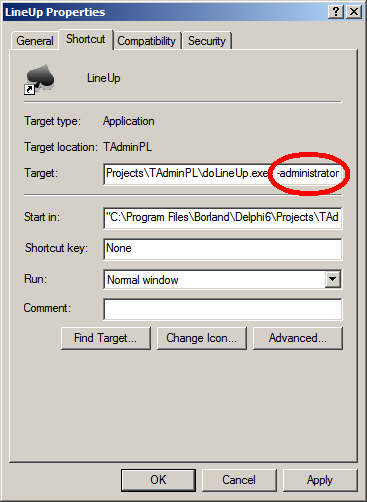
and then click Apply and OK.
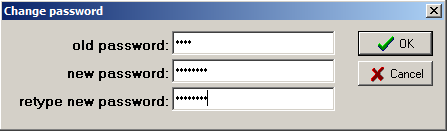
2. On the public computer use t1d1 as PIN - this will give unrestricted access to all tables. This TD PIN can be always changed on particular computer. Just when in the main Lineup windows press Shift and Del simultaneously, enter old PIN, then the new PIN twice and click OK: