Contents
- Index
Working with Players
In the main Players' window:
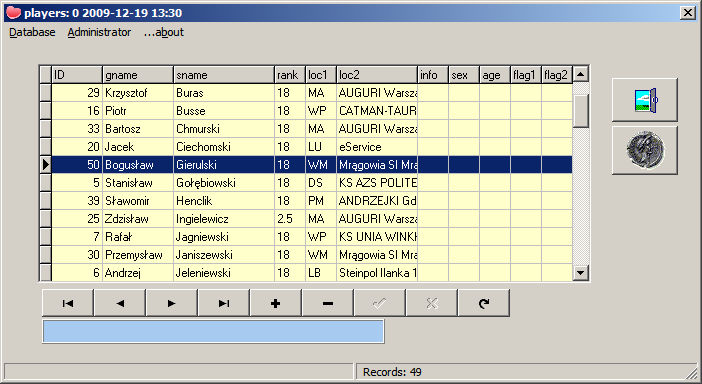
- Titlebar is showing name of the database in use and, eventually, serial numer, date and time of the last synchronization with external database.
- The left side of StatusBar at the bottom is for informations and help, total number of players is shown at the right side.
- In Database menu you can disconnect from actual database and/or connect to another, This new database can be just created.
- In Administrator menu you can setup various program's parameters.
- To sort players on gname (given name), loc1 or loc2 fields click on column name.
- To sort players on ID start write an ID. Your keystrokes will appear in the blue field and a player with this ID will be highligthed.
- To sort players on sname (surname) start write a name. Your keystrokes will appear in the blue field and a player with this sname will be highligthed.
- To clear blue field use ESC key.
- Typical operations on database can be performed using Navigation Bar

at the bottom. Move mouse over buttons in the Navigation Bar to see descriptions.
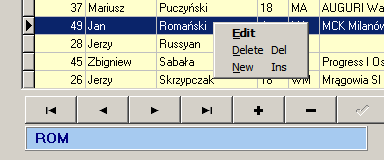
Right click on the list to popup the menu or use keys:
- To delete highlighted player use DEL key.
- To insert new player use INS key, to edit highlighted player double click them or press ENTER. In both cases a window will appear.
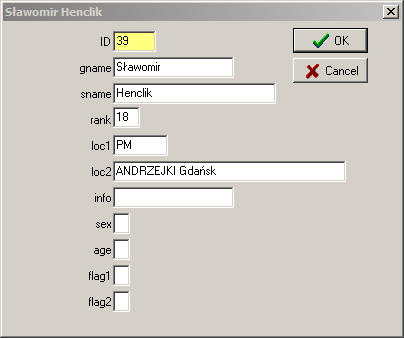
- ID is automatic and cannot be edited.
- sname, gname, rank, loc1, loc2 and info are text fields.
- sex, age, flag1 and flag2 are one character fields.