 Edit list of teams
 Edit list of teams
Click on  button, select Editors/List of teams from menu or hit Ctrl-T. The window will appear:
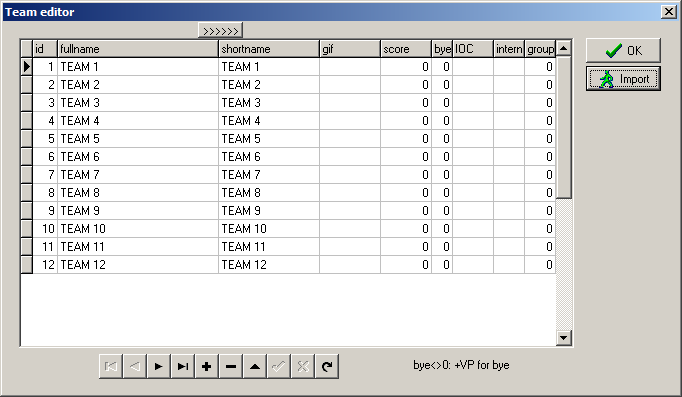
You can import teams (see below) or enter them manually.
Set fullname for each team, up to 50 characters. Shortname is limited to 25 characters. Hit  button at top to copy full names, eventually truncated, to short names and then edit short names (see below for example).
Gif is a name of small graphic related to the team, usually a flag. This file must be placed in images subdirectory of event's main directory.
Score is a number od VPs assigned to the given team at the start of the event.
Bye is usually 0. Nonzero value means that the given team do not play and the opponents will get bye additional VPs in matches against it. Eg. in the case of 25:0 matches typical value for bye is 3.
IOC and internet fields are not used in this version of teamy.
Group is usually 0. This means that there is one group of teams. If conditions of the event require more groups, then enter their numbers here. Group's numbering should be 1, 2, .... Once nonzero value is entered in the group field the information about groups will appear on the right:
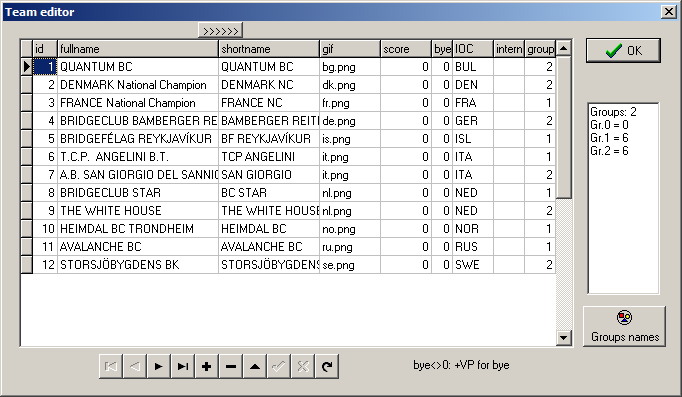
Use  button to edit description of each group:
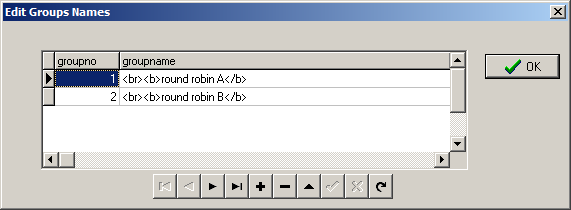
This description will appear on printouts and webpages. Notice, that you can use some html code here. Description
<br><b>round robin A</b>
means that the name of the group is round robin A, it will be shown with the empty line above it (<br>) using bold font (<b>...</b>).
In the case of new event, when team names are TEAM 1, TEAM 2 etc. use  button to import data. Select the event you want to import from. If the number of teams in this source event is greater than the number of teams in the new event, then the window will appear:
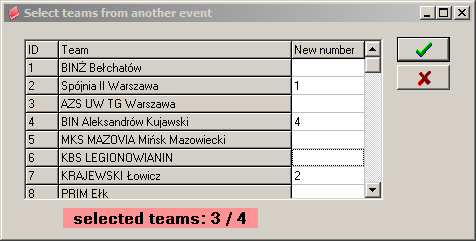
Click on team to select it. The second click will clear selection. Click OK button when finished.
If the number of teams in source event is less than or equal to the number of teams in the new event, then all teams will be imported.
In both cases confirm the import:
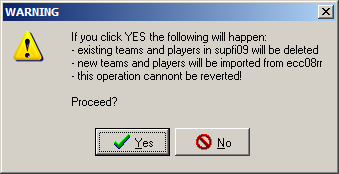
Along with teams this operation will transfer players also.